Last Updated: 15th June, 2026 | 04:51:30 PM
Best Digital Planners for College Students
The Best Digital Planners for College Students: Stay Organized, Productive, and Stress-Free

College life is a major balancing act. Between managing multiple lecture schedules, keeping track of assignment deadlines, preparing for exams, and juggling social activities or part-time work, it is easy to feel overwhelmed. Traditional paper planners used to be the gold standard, but in today’s fast-paced academic world, digital planning has taken over.
Digital planners give you the flexibility to sync your schedules across multiple devices, set real-time notifications so you never miss a deadline, and customize layouts without having to buy a new notebook every semester.
Whether you are looking to boost your personal efficiency or exploring topics related to organizational success—similar to how corporate environments analyze
Writing
Prompts for Middle School
Study
Tips for High School Students
Here is a comprehensive breakdown of the best digital planners for college students, categorizing them by use case, software type, and unique features.
1. Notion (The Ultimate All-in-One Workspace)
Best For: Students who love complete customization, database organization, and tracking notes alongside their schedule.
Notion is more than just a planner; it is a comprehensive ecosystem. It allows students to build their own customized dashboards from scratch or utilize hundreds of free templates designed specifically for university life. You can build separate databases for your courses, connect assignment trackers to a calendar view, embed digital notebooks, and even keep track of your tuition budget or job applications.
Key Features for College Students:
Relational Databases: You can link an assignment to a specific course page, automatically sorting tasks by priority or class.
Tons of Views: Switch seamlessly between a traditional Calendar View, a Kanban Board (like Trello), a List View, or a Timeline.
Device Syncing: Access your workspace perfectly via Windows, Mac, iOS, Android, and web browsers.
Why It’s Great for Students:
Notion is completely free for students who sign up with a school (.edu) email address. If you want a planner that adapts exactly to how your brain works, Notion is unmatched.
Active
Recall and Spaced Repetition Techniques
Best
educational Apps for Adults
2. Google Calendar (The Best for Timetabling and Reminders)
Best For: Students who need straightforward time-blocking, seamless integration with school systems, and instant reminders.
If your primary goal is to ensure you never miss a lecture or group meeting, Google Calendar is the simplest and most powerful tool available. It operates perfectly as a time-blocking system, allowing you to color-code your classes, study hours, extracurricular activities, and personal time. Online Tutoring Jobs for Teens
Key Features for College Students:
Invites & Shared Calendars: Perfect for working on group projects or aligning schedules with friends.
Integration with Google Workspace: Easily attach Google Docs (like lecture notes or project guidelines) directly to calendar events.
Recurring Events: Set your class schedule once at the beginning of the semester, and it will auto-populate for the rest of the year.
Why It’s Great for Students:
It requires zero learning curve and sends automated notifications directly to your phone or smartwatch. It's an excellent "skeleton" planner to use alongside other note-taking apps.
3. PDF Digital Planners (The Best for iPad & Tablet Users)
(Apps like GoodNotes, Notability, and Xodo)
Homeschooling
Tips for Working Parents
Microlearning
Courses for Professionals
Best For: Students who miss the tactile feel of handwriting but want the convenience of digital storage.
If you love the aesthetic and creative aspect of paper planners—using highlighters, stickers, and handwritten notes—then downloading a hyperlinked PDF planner is your best option. You import these interactive PDFs into a note-taking app on your tablet (such as GoodNotes or Notability on iPad, or Penly and Xodo on Android).
Key Features for College Students:
Hyperlinked Tabs: Clickable index buttons on the margins allow you to jump instantly from a yearly overview to a specific week or day.
Handwritten Customization: Write using a digital stylus (like the Apple Pencil), sketch out diagrams, and move text around freely.
Endless Reusability: Erase mistakes cleanly, copy-paste layouts, and insert digital stickers without ruining pages.
Why It’s Great for Students:
It bridges the gap between traditional handwriting—which is proven to improve memory retention—and modern digital backup.
4. Todoist (The King of Task Management)
Best For: Task-oriented students who need to break down massive syllabi into actionable daily to-do lists.
Todoist strips away the visual clutter of standard calendars and focuses entirely on execution. It is an incredibly powerful, minimalist to-do list manager that uses natural language processing. For example, typing "Study for ECO441 exam every Tuesday at 4 PM" will automatically create a recurring task in your app.
AI-powered
lesson plan generators
Key Features for College Students:
Natural Language Input: Quick-add tasks just by typing out normal sentences.
Sub-tasks and Priorities: Break down large assignments (like a 15-page term paper) into smaller, manageable milestones with specific urgency flags.
Karma Points & Productivity Trends: Gamifies your productivity by tracking how many tasks you complete consecutively.
Why It’s Great for Students:
It prevents procrastination by showing you exactly what needs to be done today, removing the overwhelming feeling of a massive semester-long workload.
5. Shovel Study Planner (The Dedicated Academic Planner)
Best For: Students who struggle with time management and need an app that tells them when they actually have time to study.
Unlike generic planners, Shovel was built exclusively for college students. It uses a unique "time-blocking" equation: it calculates how long an assignment will take, looks at your class schedule and personal commitments, and tells you exactly whether you have enough hours in your week to finish it.
Key Features for College Students:
Real-time Study Calculator: Warns you in advance if you are overcommitted or running into a time deficit.
Syllabus Integration: You can input your entire syllabus at the start of the term to map out every single reading and quiz.
Pile-Up Warnings: Visually flags days where multiple assignments collide so you can plan ahead.
Why It’s Great for Students:
It takes the guesswork out of time management, ensuring you don’t accidentally find yourself pulling an accidental all-night study session before finals.
How to Choose the Best Digital Planner for You
To select the ideal system, you must identify your personal planning style:
The Visual Note-Taker: If you prefer writing with a pen and using stickers, get a tablet and a premium PDF Digital Planner.
The System Builder: If you like having your databases, lecture notes, and tasks in one interconnected grid, download Notion.
The Minimalist: If you just want to know where to be and when, stick to Google Calendar.
The Action-Oriented: If you get overwhelmed by big calendars and just need a daily checklist, use Todoist.
Pro-Tips for Successful Digital Planning in College
Input Everything on Day One: As soon as you receive your course syllabi, spend an hour inputting every exam date, quiz deadline, and project due date into your planner.
Build a Review Routine: A planner only works if you look at it. Spend 10 minutes every Sunday evening reviewing the upcoming week to avoid surprises.
Keep Academic and Personal Balanced: Don't just schedule your classes and assignments. Block out time for exercise, socializing, and rest. Academic success requires long-term mental well-being, a concept well-documented in human resource studies exploring
The Prospect of Human Resource Management in Enhancing Higher Productivity
Final Thoughts
The best planner isn't the most expensive one or the one with the most features—it’s the one that you actually enjoy opening every day. Give yourself a couple of weeks at the start of the school semester to test different setups. Once you find a digital planning routine that works for your workflow, you’ll find your college stress levels dropping while your grades and productivity soar.
AI-powered
lesson plan generators
Best
AI tools for Teachers / Students
Google
Workspace for Education Tutorials
Related Posts

Financial Literacy for High Schoolers...
15th June, 2026
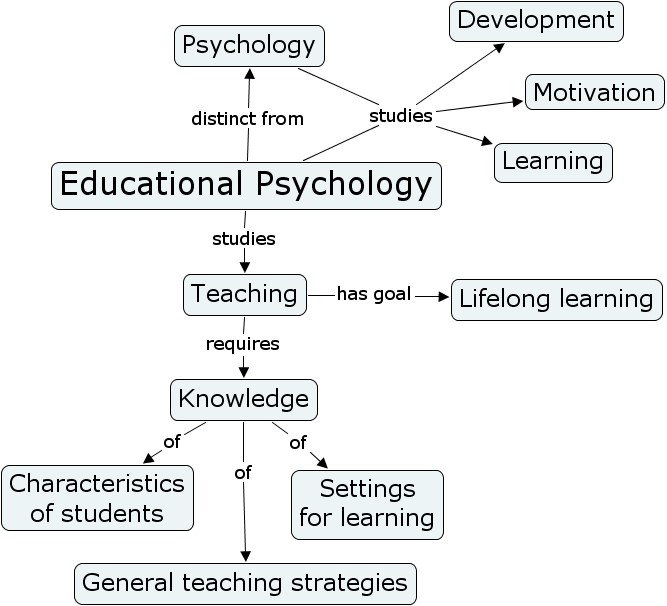
Educational Psychology Strategies...
15th June, 2026
 examples.png)
Universal Design for Learning (UDL) examples...
15th June, 2026
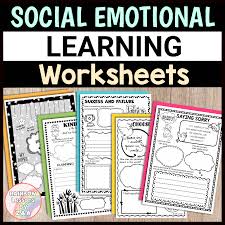
Social Emotional Learning (SEL) Activities...
15th June, 2026

Sensory Activities for Toddlers...
15th June, 2026

Educational Podcasts for Kids...
15th June, 2026
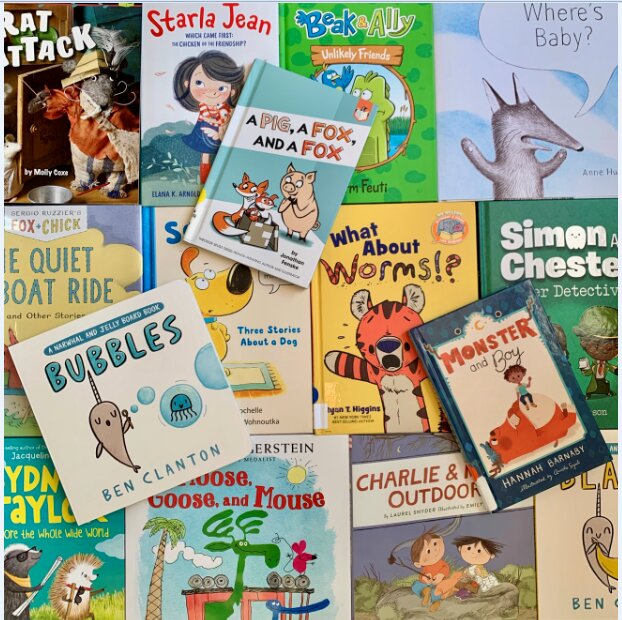
Books for Early Readers...
15th June, 2026

Play-based Learning Ideas at Home...
15th June, 2026
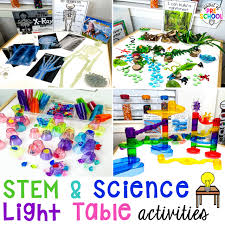
STEM Activities for Preschoolers...
15th June, 2026
Writing Prompts for Middle School...
15th June, 2026
Study Tips for High School Students...
15th June, 2026

How to Improve Reading Skills Quickly...
15th June, 2026
Categories
Blog Posts






Breaking News
We usually sends BREAKING News to students of National Open University, NOUN. Not to miss any of our latest updates, enter your email here