Last Updated: 15th June, 2026 | 02:58:15 PM
Best AI tools for Teachers / Students
The Ultimate Guide: Best AI Tools for Teachers and Students (2026 Edition)

Artificial Intelligence in education has evolved drastically.
Whether you are an educator trying to reclaim your weekends or a student looking to optimize your study routine without violating academic integrity, here is a comprehensive breakdown of the most powerful AI tools available today.
🍎 Top AI Tools for Teachers
Educators are primarily using AI to reduce administrative burdens, differentiate instruction, and increase classroom engagement. The best tools for teachers are those that integrate directly into existing workflows rather than requiring you to learn an entirely new software suite.
1. Brisk Teaching (Best for Integrated Workflow)
Brisk is an AI extension that lives directly inside Google Docs, Canvas, Microsoft Edge, and other platforms you already use daily.
Why it’s great: It allows you to generate quizzes, build lesson plans, or give targeted feedback on a student's essay without ever switching tabs.
Standout Feature: You can take any YouTube video or online article and instantly convert it into a standards-aligned lesson plan or a reading comprehension quiz right inside your web browser.
Similar Articles:
Mpower Mba Scholarship International Students
New International Scholarship Opportunities
Monthly
MPOWER
Women in STEM Scholarship
Cystic Fibrosis Foundation Clinical Fellowships Program
2. Diffit (Best for Differentiation)
Classrooms are incredibly diverse, and providing reading materials that cater to every individual reading level is a massive time sink. Diffit solves this instantly.
Why it’s great: Paste any text, PDF, or URL into Diffit, and it will automatically rewrite the content into 3–5 different reading levels while preserving the core facts and vocabulary.
Standout Feature: It automatically generates paired vocabulary lists, discussion prompts, and multiple-choice questions tailored specifically for each adapted reading level.
3. Edcafe AI (Best for the Full Teaching Cycle)
Most tools generate content but leave you to figure out how to deliver and grade it across different apps. Edcafe handles the entire loop.
Why it’s great: You can generate a reading activity, assign it to students via a quick QR code (no student logins required), and the system will auto-grade their responses against your specific rubric.
Standout Feature: The integrated dashboard provides real-time analytics on student comprehension as they submit their work, drafting personalized feedback for you to review and approve.
4. Curipod (Best for Lesson Engagement)
Curipod is the modern, AI-powered evolution of traditional slide decks, designed to foster active participation.
Why it’s great: Type in a topic, and Curipod generates a full, interactive presentation complete with word clouds, drawing boards, and short-answer polls.
Standout Feature: The platform allows for anonymous responses, which encourages shy students to participate in live lessons without the fear of judgment.
🎓 Top AI Tools for Students
For students, the danger of AI is relying on it to do the work for you, which stunts learning and risks plagiarism flags. The most effective AI tools act as rigorous research assistants, strict tutors, and academic organizers.
1. Google's NotebookLM (Best for Studying & Note-Taking)
NotebookLM is arguably the most powerful free study tool available today. Unlike broad AI models, it is "grounded," meaning it only pulls answers from the specific documents you provide.
Why it’s great: Upload your lecture slides, syllabi, and messy notes. You can then "chat" with your notebook to prepare for exams without worrying about the AI hallucinating outside information.
Standout Feature: The Audio Overview feature turns your uploaded study materials into an engaging, AI-generated two-person podcast that discusses the core concepts of your notes.
2. Perplexity AI (Best for Research & Citations)
Using standard chatbots for research is dangerous because they frequently invent fake citations. Perplexity is a research engine built to solve this exact problem.
Why it’s great: It searches the live web and academic databases, summarizing complex answers while providing clickable, inline citations for every single claim it makes.
Standout Feature: Its "Academic Mode" restricts the AI’s search parameters strictly to peer-reviewed papers and trusted educational domains, keeping you out of trouble with academic integrity boards.
3. Wolfram Alpha (Best for Math and Science)
Language models are notoriously bad at math because they predict words, not numbers. Wolfram Alpha actually computes algorithms.
Why it’s great: From calculus derivatives to complex chemical balancing, Wolfram provides 100% accurate, rule-based computation.
Standout Feature: It provides step-by-step solution breakdowns, helping you understand how the answer was reached so you can replicate it on an exam.
4. Claude (Best for Writing Feedback)
While many use AI to draft essays, Claude excels at analyzing the drafts you write yourself.
Why it’s great: Paste your rough draft alongside the professor's prompt and ask Claude to act as a harsh peer reviewer. It excels at spotting logical fallacies, weak transitions, and unsupported assertions.
Standout Feature: Its nuanced understanding of tone means its critique will help you improve structure without stripping your essay of your unique, personal voice.
📊 Quick Comparison: Which Tool Should You Use?
| Goal / Task | Best Tool for Teachers | Best Tool for Students |
| Research & Reading | Diffit (Adapting text) | Perplexity AI (Cited answers) |
| Organization & Notes | MagicSchool AI (Admin tasks) | NotebookLM (Custom study guides) |
| Math & Logic | Khanmigo (Socratic guidance) | Wolfram Alpha (Computation) |
| Presentations/Slides | Curipod (Interactive decks) | Gamma AI (Slide generation) |
| Grading & Feedback | Edcafe AI (Rubric grading) | Claude (Peer reviewing) |
💡 The Golden Rule of EdTech AI: > For Teachers: Never let AI grade something without a final human review. AI lacks the empathy to understand the nuanced context of a student's effort or a sudden drop in performance.
For Students: Use AI as an exoskeleton, not a wheelchair. It should help you lift heavier cognitive loads (like organizing massive research files or understanding dense jargon), not do the walking (writing the actual essay) for you.
Related Posts

Financial Literacy for High Schoolers...
15th June, 2026
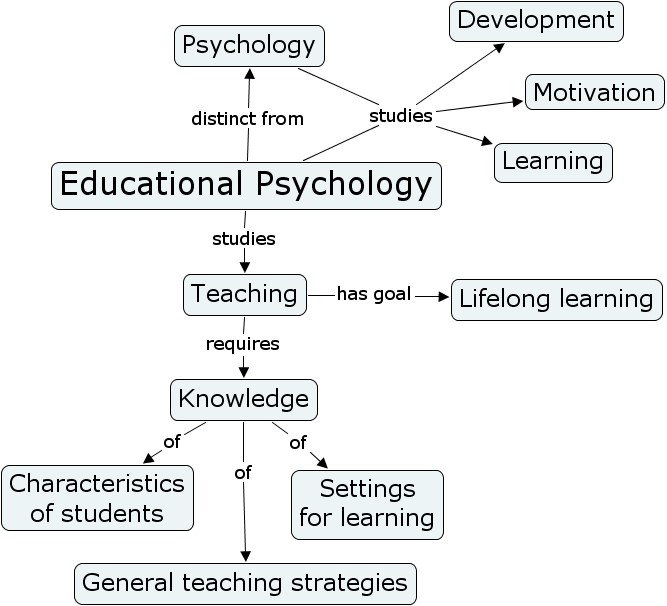
Educational Psychology Strategies...
15th June, 2026
 examples.png)
Universal Design for Learning (UDL) examples...
15th June, 2026
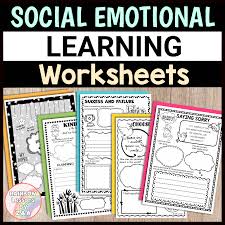
Social Emotional Learning (SEL) Activities...
15th June, 2026

Sensory Activities for Toddlers...
15th June, 2026

Educational Podcasts for Kids...
15th June, 2026
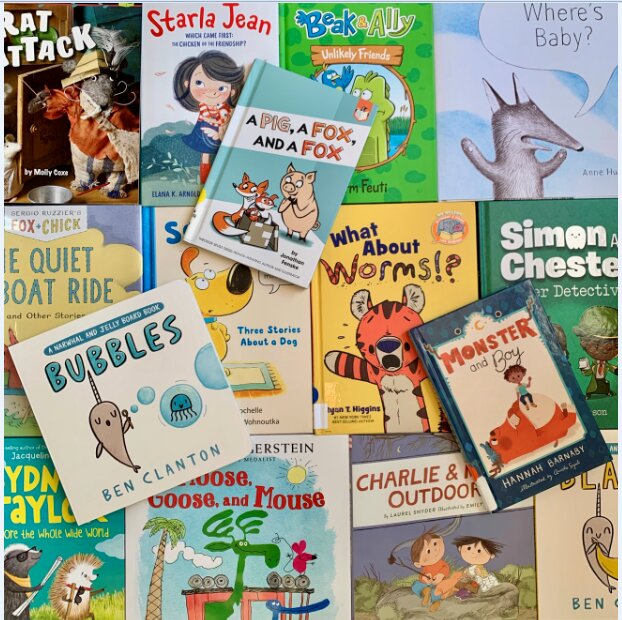
Books for Early Readers...
15th June, 2026

Play-based Learning Ideas at Home...
15th June, 2026

STEM Activities for Preschoolers...
15th June, 2026
Best Digital Planners for College Students...
15th June, 2026
Writing Prompts for Middle School...
15th June, 2026

Study Tips for High School Students...
15th June, 2026
Categories
Blog Posts






Breaking News
We usually sends BREAKING News to students of National Open University, NOUN. Not to miss any of our latest updates, enter your email here