Last Updated: 18th June, 2026 | 06:50:33 PM
JAMB Registration Template / Portal
Mastering the JAMB Registration Template & Portal: The Ultimate Guide for Candidates

Navigating the Joint Admissions and Matriculation Board (JAMB) registration cycle can feel overwhelming. Every year, thousands of candidates risk losing their admission simply because of typographical errors, wrong subject combinations, or portal mistakes made under pressure at the Computer-Based Test (CBT) center.
To solve this, JAMB utilizes a highly structured Registration Template alongside its official online e-Facility Portal. Understanding how to deploy both will save you time, money, and unnecessary stress.
How to Print Jamb Acknowledgement Slip
Jamb mock result checker portal login
📋 What is the JAMB Registration Template?
The JAMB registration template is an official, free downloadable document (usually a two-page PDF) that mirrors the exact layout of the live JAMB portal software.
Instead of trying to remember your institutional choices, course codes, and O'Level grades off the top of your head while sitting in front of a busy CBT operator, you fill out this hard copy at home.
Crucial Rule: The registration template is strictly for preparation. You do not submit it to JAMB, and you should never pay anyone to buy it.
You simply read your data directly off it to the CBT official who enters it into the live portal.
🛠️ Anatomy of the JAMB Registration Template
A standard registration template is divided into key structural sections. Filling these out accurately beforehand prevents system errors during data capture.
1. Personal Biodata Section
This must match your National Identification Number (NIN) records precisely.
Full Name: Surname, First Name, and Middle Name.
Date of Birth & Gender: Double-check this against your NIMC data.
State & Local Government Area (LGA) of Origin: Essential for catchment area considerations.
2. Institutional and Program Choices
The template guides you to select your preferred schools in a specific structural hierarchy. You cannot list federal universities for all choices.
| Choice Rank | Acceptable Institution Types | Purpose |
| 1st Choice | Federal or State University | Your primary target institution |
| 2nd Choice | State University, Polytechnic, or Private University | Your backup degree pathway |
| 3rd Choice | Polytechnic or College of Education (COE) | Technical/Vocational alternative |
| 4th Choice | Innovative Enterprise Institution (IEI) | Specialized skills certification |
Login into the JAMB UTME Portal Using Registration.
How to Create Gmail Account for JAMB Registration
3. Subject Combinations & O'Level Data
The Big Four: Use the official JAMB Brochure to confirm the exact four-subject combination required for your course.
O'Level Details: If you have your WAEC, NECO, or NABTEB results, write down the grades and examination numbers.
If you are still waiting for your papers, enter Awaiting Results (AR).
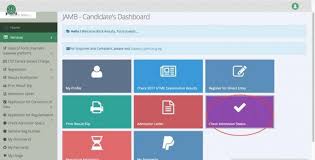
💻 Navigating the Official JAMB Portal Dashboard
Once your physical registration is captured at an accredited CBT center, your digital footprint shifts to the online portal.
⚠️ Common Trapdoor Mistakes to Avoid
Fingerprint Biometric Issues: Ensure your fingers are clean and free of oils or cosmetic stains like Henna (Lalli)
on registration day. If the portal cannot capture your biometrics at the CBT center, you will not be allowed into the exam hall. Guessing Institutional Subject Requirements: Medicine at one university might require different O'Level specifications than at another. Always use the JAMB Interactive Brochure and Syllabus System (IBASS) before filling your template.
Under-the-Table Registration: Never register at a standard cybercafe. The JAMB portal restricts registration access exclusively to accredited CBT centers.
Registering elsewhere means your data will never touch the central servers. For updates on valid regulatory paths and admission timelines, review the comprehensive guidelines at Student Arrive
Pro Tip: Keep the phone number and email tied to your portal login safe and active.
If you lose access to that specific SIM card, retrieving your portal password or receiving your UTME score via SMS becomes an incredibly complex administrative process.
JAMB Registration Form: Requirements, Price, & Ultimate Step-by-Step Guide
For any Nigerian student seeking admission into a university, polytechnic, or college of education, securing the Unified Tertiary Matriculation Examination (UTME) or Direct Entry (DE) registration form is the ultimate milestone.
The Joint Admissions and Matriculation Board (JAMB) registration window is a fast-paced period. Missing a deadline, buying from an unauthorized vendor, or filling out your course options incorrectly can cost you an entire academic year. This guide provides a comprehensive breakdown of everything you need to know about the registration form, how much it costs, and how to apply without making mistakes.
📋 Core Requirements for JAMB Registration
Before you head out to an accredited registration center, you must have your data and documents fully organized. JAMB will not process incomplete profiles.
National Identification Number (NIN): This is absolutely mandatory. JAMB syncs your data directly with the National Identity Management Commission (NIMC) database. Ensure the name spelling and date of birth on your NIN exactly match your school certificates.
JAMB Profile Code: A unique 10-character code generated via SMS using your NIN.
O'Level Results (WAEC/NECO/NABTEB): You will need to input your grades. If your results are not out yet, you can register as an Awaiting Result (AR) candidate.
Valid Email Address & Phone Number: These must be personal and active, as they will receive your exam slip details and admission notifications.
💰 How Much is the JAMB Registration Form?
The total cost for the application is broken down into specific official components to prevent CBT centers from overcharging candidates.
| Item / Service | Official Cost |
| JAMB UTME/DE Registration Form (e-PIN) | ₦3,500 |
| Recommended Reading Text | ₦500 |
| CBT Center Registration Service Fee | ₦700 |
| CBT Center Mock Examination Fee (Optional) | ₦1,500 |
| Total (Without Mock / With Mock) | ₦4,700 / ₦6,200 |
⚠️ Warning: Never purchase your e-PIN from unaccredited roadside vendors or cybercafés. Only use official banking platforms, registered mobile money operators, or the JAMB portal directly.
🛠️ Step-by-Step Guide to Registering for JAMB
The registration process follows a strict chain of events. Skipping a step or changing the order can halt your progress.
🏫 Choosing the Right Institution and Course
One of the most critical parts of filling out the form is selecting your preferred schools. JAMB categorizes your choices into specific tiers:
First Choice: Typically reserved for Federal Universities or high-demand State Universities.
Second Choice: Usually a State University, a Polytechnic, or a Federal College of Education.
Third Choice: Reserved for Polytechnics, Innovation Enterprise Institutions (IEIs), or Colleges of Education.
Fourth Choice: Usually a Private University or a specific vocational institution.
When picking your courses, make sure you look up the correct JAMB Subject Combination for your discipline. For example, registering for Medicine requires English, Physics, Chemistry, and Biology. Choosing an incorrect subject combination will disqualify you from admission automatically, regardless of how high your UTME score is.
To read comprehensive guides on school choices, institution rankings, and cutting-edge educational updates in Nigeria, explore the deep resource pool on
💡 Vital Registration Tips for Success
Avoid the Last-Minute Rush: Network systems often get congested during the final week of registration, making e-PIN generation and biometric uploading incredibly slow. Aim to register within the first two weeks of the form release.
The Mock Exam is Worth It: If you have never taken a computer-based examination before, opting into the optional JAMB Mock Exam is highly recommended. It gets you familiar with the actual software interface and testing environment.
Keep Your SIM Card Alive: The phone number used to generate your code is your lifelong key to the JAMB ecosystem. For further operational tips on tracking institutional requirements, visit
Student Arrive How to apply for JAMB Regularizationhttps: jamb.gov.ng
How to Create Your JAMB Profile Code for UTME/Direct Entry Registration
Related Posts
How to Accept Admission on JAMB CAPS...
18th June, 2026
JAMB CAPS Portal Login...
18th June, 2026

How to Check JAMB Result via SMS...
18th June, 2026

How To Check Jamb Exam Center...
18th June, 2026
JAMB Exam Date and Center...
18th June, 2026
JAMB Portal Login...
18th June, 2026

JAMB CBT Practice Online...
18th June, 2026
JAMB Mock Result Portal...
18th June, 2026

Jamb Novel 2024...
18th June, 2026

Jamb Past Questions and Answers...
18th June, 2026

NIN to JAMB...
18th June, 2026
JAMB CAPS to Check Status, ACCEPT / REJECT Admission...
27th June, 2025
Categories
Blog Posts






Breaking News
We usually sends BREAKING News to students of National Open University, NOUN. Not to miss any of our latest updates, enter your email here