Last Updated: 18th June, 2026 | 08:10:22 PM
How To Check Jamb Exam Center
How to Check Your JAMB Exam Center: Step-by-Step Guide

As the Joint Admissions and Matriculation Board (JAMB) Unified Tertiary Matriculation Examination (UTME) approaches, one critical question occupies every candidate's mind: "Where exactly am I writing my exam?"
Knowing your specific Computer-Based Test (CBT) center, exam date, and session time early is vital. If you do not check and reprint your official examination slip in time, you risk missing your scheduled slot entirely, which could cost you your admission for the year.
JAMB: Requirements and how to register for 2025 UTME
JAMB CBT Centres Approved for Registration in Lagos State
Guidelines On Jamb Regularization Registration For National Open University Of Nigerians Students
How to apply for JAMB Regularizationhttps: jamb.gov.ng
How to Create Your JAMB Profile Code for UTME/Direct Entry Registration
📅 When Does JAMB Release Exam Centers?
JAMB assigns exam centers, dates, and times through a process called slip reprinting.
Once active, every registered candidate is expected to log online, generate their personalized exam slip, and print out physical copies.
🛠️ How to Check Your JAMB Exam Center Online
JAMB provides a direct, highly simplified method to check your center without even needing to log into your personal e-Facility account. You can do this from any internet-enabled smartphone or computer.
🔄 Alternative Method: Checking via JAMB e-Facility
If the direct reprinting link experiences heavy traffic downtime, you can alternatively access your center details from inside your dashboard:
Go to
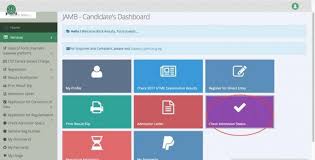
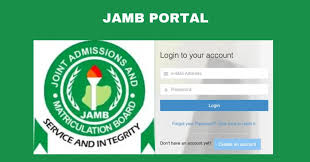
efacility.jamb.gov.ngand log in using your registered email address and password.Once your dashboard loads, locate and click on the icon labeled "Print Examination Slip".
The portal will automatically fetch your registration profile and display your exam details for printout.
⚠️ Crucial Things to Check on Your Examination Slip
Once your slip opens, don’t just look at the city or state. Pay close attention to these four critical parameters:
The Full Center Name: Many CBT centers have similar names or multiple branches (e.g., "Center A" vs "Center B"). Make sure you copy down the precise building name and street address.
Your Exam Date: The UTME runs across multiple days. Your friends might be writing on Tuesday while you are scheduled for Friday.
Your Session/Reporting Time: JAMB runs multiple batches a day (usually Session 1 starting by 6:30 AM, Session 2 around 9:00 AM, and Session 3 mid-day). Arriving late because you assumed you were in the afternoon batch will result in an automatic absent mark.
Your Biometric Status: Ensure your passport photograph and biometric registration markers appear correctly on the page.
Pro Tip: Print out at least two clean physical copies of your exam slip.
You will be required to hand one copy over to the invigilators at your CBT center, while the second copy remains with you as your personal proof of attendance.
🚶♂️ Final Step: Locate Your Center Before Exam Day
Finding out your venue is only half the battle. If your assigned CBT center is located in an unfamiliar part of town or a distant local government area, do not wait until the morning of your exam to figure out the logistics.
Traveling down to locate the venue physically a day or two before your exam helps you estimate exact transport fares, spot traffic bottlenecks, and eliminate panic on the big morning.
To map out how these exam timelines fit into the broader admission screening calendar for your chosen university or polytechnic, make sure to crosscheck the administrative guides available over at
You can watch this instructional walkthrough on
How to Check and Print Your JAMB Examination Slip: The Ultimate Guide
As the Joint Admissions and Matriculation Board (JAMB) Unified Tertiary Matriculation Examination (UTME) approaches, one critical document stands between you and the exam hall: your JAMB Examination Slip.
This slip is your official pass. It tells you your exact exam date, venue (CBT center), and time slot. If you show up at the wrong center or on the wrong day, you will not be allowed to sit for the exam.
Printing this slip is straightforward, but many candidates experience needless panic when the portal opens due to network congestion or using the wrong steps. This comprehensive guide walks you through every official method to check and print your exam slip smoothly.
📅 When Does JAMB Start Reprinting Examination Slips?
JAMB typically enables the reprinting portal 7 to 10 days before the commencement of the UTME.
Because millions of candidates attempt to access the portal at the same time, the server may slow down. If you encounter an error on your first attempt, do not panic. Simply wait a few hours—or try checking late at night when web traffic is significantly lower.
🛠️ Method 1: How to Check JAMB Slip via the Official Portal (No Login Required)
This is the fastest and most popular method because it does not require you to remember your JAMB profile password. You can do this on a smartphone or a computer.
💻 Method 2: How to Check via Your JAMB e-Facility Profile
If the direct printing link is experiencing heavy downtime, you can log directly into your personal dashboard to access your data.
Go to the main JAMB E-facility portal page.
Enter the Email Address and Password you created during your profile registration.
Once your dashboard loads, look through the grid of services and click on "Print UTME Main Examination Slip".
The system will automatically generate your personalized slip based on your logged-in credentials.
📧 Method 3: Checking via Your Registered Email Address
In recent exam cycles, JAMB has simplified the distribution process by sending the examination slips directly to candidates via email.
Open your email app (Gmail, Yahoo, etc.) tied to your JAMB profile.
Search for keywords like "JAMB", "UTME Slip", or "2026 Examination Slip".
Check both your Inbox and your Spam/Junk folder, as automated emails occasionally bypass the main inbox.
Open the attached PDF file and download it straight to your device for easy printing.
⚠️ Vital Instructions for Exam Day
Once you successfully print your slip, check the details immediately. Take note of these crucial security directives:
Print Two Copies: Keep one copy at home for safety and take the second copy to your exam center. The center supervisors will collect a physical copy from you before or after your exam.
Do Not Bring Prohibited Items: Your slip contains explicit warnings. Do not enter the exam premises with mobile phones, wristwatches, electronic devices, pens, or keys. JAMB utilizes biometric verification, so your body and your slip are all you need.
Locate Your Center Early: If you are unfamiliar with your assigned CBT center address, make an effort to locate it a day or two before your actual exam date to prevent arriving late.
Pro Tip: Make sure your data details are uniform across all channels. Missteps during institutional clearance or inconsistencies in your credentials can delay your admission validation. For step-by-step walk-throughs on tracking your institutional profile, check out the resources on
. Student Arrive
Managing your slips and timelines carefully ensures that your preparation translates perfectly into exam-day success. If you are still running practice sessions, keep checking your status on the portal, stay updated via
JAMB Registration Template / Portal
Jamb Past Questions and Answers
Related Posts
How to Accept Admission on JAMB CAPS...
18th June, 2026
JAMB CAPS Portal Login...
18th June, 2026

How to Check JAMB Result via SMS...
18th June, 2026

JAMB Exam Date and Center...
18th June, 2026
JAMB Portal Login...
18th June, 2026

JAMB CBT Practice Online...
18th June, 2026
JAMB Mock Result Portal...
18th June, 2026

Jamb Novel 2024...
18th June, 2026
Jamb Past Questions and Answers...
18th June, 2026
JAMB Registration Template / Portal...
18th June, 2026

NIN to JAMB...
18th June, 2026
JAMB CAPS to Check Status, ACCEPT / REJECT Admission...
27th June, 2025
Categories
Blog Posts






Breaking News
We usually sends BREAKING News to students of National Open University, NOUN. Not to miss any of our latest updates, enter your email here