Last Updated: 18th June, 2026 | 08:19:46 PM
How to Check JAMB Result via SMS
How to Check JAMB Result via SMS: The Fastest Offline Method

Waiting for the Joint Admissions and Matriculation Board (JAMB) to release the Unified Tertiary Matriculation Examination (UTME) results comes with plenty of suspense. Once the news drops that results are officially out, millions of eager candidates rush to the official e-facility portal, which frequently causes the website to crash or slow down due to heavy server traffic.
Fortunately, JAMB has a built-in alternative that doesn’t require an internet connection, a smartphone, or an open cyber café. You can check your scores instantly using a simple text message.
JAMB Registration Template / Portal
Jamb Past Questions and Answers
📋 Pre-requisites for the SMS Method
Before you pull up your phone's messaging application, you must meet these basic requirements to avoid getting an error response:
Use Your Registered SIM Card: You can only request your scores using the exact phone number linked to your identity during your UTME registration (the SIM that holds your original 10-character profile code).
If you use a friend's or parent's phone number, the system will reject the request. Load Airtime Balance: The service is not free.
Sending the query carries a ₦50 network charge. Ensure you have at least ₦50 to ₦100 in normal airtime balance on your mobile line (bonus data/credit balances will not work). Deactivate DND (Do Not Disturb): If your network provider has activated active blocking filters on your SIM, JAMB’s automated feedback message might be blocked.
💬 Step-by-Step Guide to Check Your Score via SMS
The process takes less than two minutes when followed exactly as outlined by the examination board.
⚠️ Understanding Common SMS Error Responses
If you do not receive your specific subject scores, JAMB’s automated messaging response will usually return one of these standard status updates instead:
"This phone number was not used for registration": You sent the text from an unlinked SIM card. Locate the original registration line and retry.
"Result Withheld" or "No Result Yet": This means your specific center or profile registration partition is under administrative review, or your result batch is still uploading to the main framework database.
No Response Received At All: This points directly to severe network traffic congestion across local cellular masts. Avoid sending the keyword continuously, as it will charge you ₦50 per attempt.
Wait for an off-peak period (like late at night or early morning) to try again.
🌐 Moving to the Next Admission Stage
The SMS summary serves as an excellent quick update tool, but it cannot be presented to institutions for real-world screenings or clearances. Once the website traffic clears out, you must log into the official web portal to print an official document showing your aggregates.
For full instructions on navigating structural steps like printing your official credentials or checking your structural institution placement variables, check out the targeted university guides over on
For a visual demonstration of this process alongside troubleshooting tips for lines experiencing delivery delays, you can watch this
JAMB: Requirements and how to register for 2025 UTME
JAMB CBT Centres Approved for Registration in Lagos State
Guidelines On Jamb Regularization Registration For National Open University Of Nigerians Students
How to Check Your JAMB Result on Your Phone (Step-by-Step Guide)
The anxiety that follows completing the Unified Tertiary Matriculation Examination (UTME) is something almost every Nigerian student understands. Once the Joint Admissions and Matriculation Board (JAMB) announces the release of the scores, the next immediate step is checking how you performed.
Fortunately, you do not need to visit a cybercafé or track down a desktop computer to see your score. You can check your JAMB result directly on your mobile phone in just a few minutes.
Method 1: The SMS Shortcode Method (No Internet Required)
The absolute fastest way to check your UTME score is via text message.
Prerequisites for the SMS Method:
The Registered SIM: You must send the text from the exact phone number you used during your JAMB registration and profile creation.
Sending it from an unlinked SIM will return an error message. Airtime Balance: JAMB charges a network fee of ₦50 per request.
Make sure you have at least ₦50 to ₦100 normal airtime credit on your line (bonus data or bonus credit bundles will not work).
Method 2: Checking Your Result Online via the Official Portal
If you do not have airtime but have access to a small internet data bundle, you can check your results for free on your smartphone browser. This method is highly recommended if you want to see a clean visual layout of your scores.
Open Your Mobile Browser: Launch Google Chrome, Safari, or Opera Mini on your phone.
Go to the Official Result Link: Navigate directly to the official
JAMB Result Checker Portal Enter Your Credentials: Type in either your unique JAMB Registration Number or the official email address connected to your account profile.
Click "Check My Results": Tap the button, and your scores will render cleanly on your smartphone screen. You can screenshot this page for your personal records.
⚠️ Troubleshooting Common Errors
"Result Not Available": Do not panic. JAMB releases UTME results in batches based on the day you sat for the exam.
If your center's data is still processing, wait a few hours or until the following morning to try again. No Response via SMS: This usually happens when the network lines are congested with millions of students checking simultaneously. Avoid sending the message repeatedly to prevent continuous ₦50 deductions. Instead, wait and try checking late at night or early in the morning when server traffic is minimal.
"Wrong Number" Error: This indicates that you did not send the message from the phone number associated with your profile code. double-check your SIM card slot to ensure your registered line is active.
What Comes Next?
Checking your score is only the first major milestone. Once your scores are confirmed, your next steps involve monitoring the Central Admissions Processing System (CAPS) and looking out for post-UTME updates from your chosen institution. To stay deeply informed about structural timeline adjustments, institution cut-off criteria, and updates regarding universities, check out the detailed resources at
. Student Arrive
JAMB CBT Centres in Ondo State
JAMB CBT Centres in Kogi State
JAMB CBT Centres in Kwara State
JAMB CBT Centres in Katsina State
JAMB CBT centers in Jigawa State
1JAMB CBT Centres in Bauchi State
Related Posts
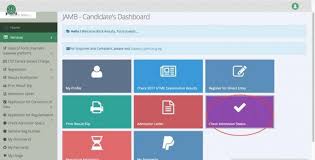
How to Accept Admission on JAMB CAPS...
18th June, 2026
JAMB CAPS Portal Login...
18th June, 2026

How To Check Jamb Exam Center...
18th June, 2026
JAMB Exam Date and Center...
18th June, 2026
JAMB Portal Login...
18th June, 2026

JAMB CBT Practice Online...
18th June, 2026

JAMB Mock Result Portal...
18th June, 2026

Jamb Novel 2024...
18th June, 2026
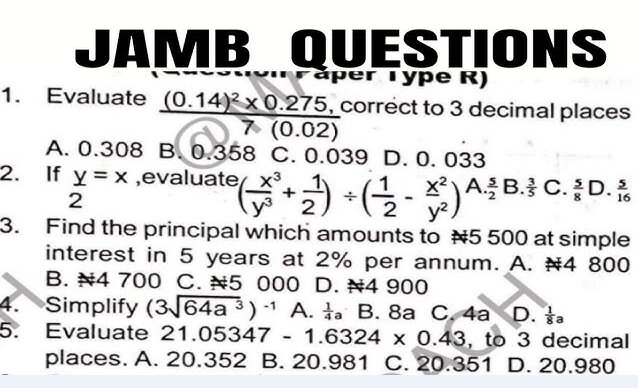
Jamb Past Questions and Answers...
18th June, 2026
JAMB Registration Template / Portal...
18th June, 2026

NIN to JAMB...
18th June, 2026
JAMB CAPS to Check Status, ACCEPT / REJECT Admission...
27th June, 2025
Categories
Blog Posts






Breaking News
We usually sends BREAKING News to students of National Open University, NOUN. Not to miss any of our latest updates, enter your email here