Last Updated: 18th June, 2026 | 07:56:58 PM
JAMB Portal Login
The Master Guide to JAMB Portal Login: Accessing Your e-Facility Dashboard Smoothly

For every Nigerian university aspirant, the JAMB Portal Login page (often referred to as the e-Facility portal) is the digital nerve center of your entire admission journey. It is the single platform where you check your UTME results, print your official result slips, upload your O'Level results, perform institutional or course corrections, and ultimately accept or reject your admission offer.
Navigating this portal can sometimes feel overwhelming due to technical glitches, forgotten passwords, or server downtime. This comprehensive guide breaks down everything you need to know to access and manage your account securely.
Login into the JAMB UTME Portal Using Registration.
How to Create Gmail Account for JAMB Registration
JAMB Registration Requirements and Procedures
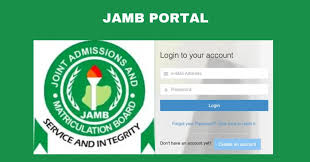
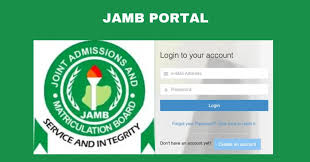
🔐 How to Log In to Your JAMB e-Facility Portal
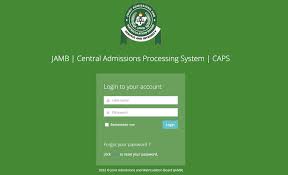
Accessing your dashboard requires a verified profile account created during your registration process.
🛠️ Essential Services Inside Your JAMB Portal Dashboard
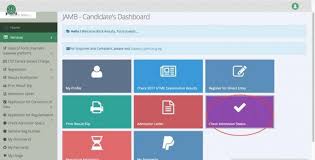
Once logged in, your e-facility dashboard provides a layout of grids granting access to critical administrative tools. The most important services include:
1. JAMB CAPS (Central Admissions Processing System)
This is the automated marketplace where institutions recommend you for admission. Inside CAPS, you can monitor your admission status in real-time, view your choices, and click either "Accept Admission" or "Reject Admission."
2. Printing Official Documents
If you need to present your credentials for post-UTME screening, you can pay a token on the platform to access and print your Official JAMB Result Slip (which includes your passport photograph) or your JAMB Admission Letter.
3. Correction of Data
Made an error in your name spelling, date of birth, state of origin, or choice of institution? The login dashboard contains a "Correction of Data" tab where you can pay to initiate structural updates to your profile.
❌ How to Troubleshoot Common JAMB Login Errors
It is common to encounter brick walls when attempting to log in. Here is how to solve the most frequent issues instantly:
"Invalid E-mail or Password"
This is the single most common error. Remember that your password is case-sensitive. If you are entirely locked out, look for the "Click here to reset your password" link at the bottom of the login page. Enter your email, and a password reset link or token will be dispatched directly to your registered mailbox.
The Dashboard Keeps Loading a Blank Page
This usually occurs due to cached browser bugs or high server traffic congestion. Clear your mobile browser's cookies and cache, switch your browser to "Desktop Site Mode," or try accessing the portal late at night or early in the morning when user traffic drops significantly.
JAMB: Requirements and how to register for 2025 UTME
JAMB CBT Centres Approved for Registration in Lagos State
Guidelines On Jamb Regularization Registration For National Open University Of Nigerians Students
Critical Security Warning: Never share your JAMB portal login details (email and password) with strangers, untrusted cyber cafe attendants, or random social media platforms promising to "upgrade" your scores. Anyone with access to your login can maliciously reject your real university admission or alter your institutional choices without your permission.
📈 Managing Your Academic Strategy Beyond the Portal
Successfully logging into your portal profile is an important mechanical step, but keeping track of how your chosen university processes these records is what secures your academic spot.
If you are currently sorting out data alignments or checking your readiness status for upcoming academic clearance hurdles, explore the detailed institution-focused guides on
How to Access Your JAMB Portal Login with Registration Number: A Complete Guide
The JAMB portal is the central hub for every Nigerian student’s admission journey. Whether you are checking your UTME result, monitoring your admission status on CAPS, or printing your admission letter, your JAMB registration number is your most important key.
Many students often get confused when they see different login interfaces or get stuck at the login page. This guide will walk you through the correct way to navigate the JAMB portal using your registration number and email, ensuring you avoid common pitfalls.
🔑 Understanding the JAMB e-Facility Portal Login
It is a common misconception that you can log in using only your registration number. JAMB updated its security architecture to protect student data, meaning the login process is now tied to your registered email address and password.
However, your registration number remains the primary identifier used to link your profile to the Central Admissions Processing System (CAPS).
The Official Login Steps
Visit the Official Portal: Navigate to the official
JAMB e-Facility portal Enter Your Credentials: Input the email address you used during your registration and your password.
Access Your Dashboard: Once you successfully log in, your dashboard will display your details, including your JAMB registration number.
If you are having trouble setting up your profile or are unsure how to link your email correctly, you can find a step-by-step walkthrough on
🛠️ What If You Forgot Your Registration Number?
If you have lost your JAMB registration number, do not panic. You cannot log into your dashboard without it, but you can easily retrieve it using your registered phone number or email.
Check Your Original Slip: The first place to look is the UTME registration slip you printed at your CBT center. Your registration number is clearly printed at the top.
Check Your Email: Search your inbox for "JAMB" or "UTME" to find your registration confirmation email.
Use the JAMB Service Portal: If you still cannot find it, you can visit the nearest JAMB office or an accredited CBT center with your National Identification Number (NIN). They can pull up your profile and provide your registration number instantly.
📱 Troubleshooting Common Login Issues
Many students face "Invalid Credentials" or "Access Denied" errors. Here is how to fix them:
1. The Password Mismatch
JAMB passwords are case-sensitive. If you created a password with a capital letter, ensure you enter it exactly the same way. If you’ve forgotten it, click the "Forgot Password" link. JAMB will send a reset link to your registered email address.
2. Browser Issues
Sometimes, your web browser stores "cached" data that interferes with the login page.
Clear your Cache: Go to your browser settings and clear your browser's cache and cookies.
Use Chrome: JAMB’s portal is optimized for Google Chrome. If you are using an older browser, you may experience display issues.
JAMB: Requirements and how to register for 2025 UTME
JAMB CBT Centres Approved for Registration in Lagos State
Guidelines On Jamb Regularization Registration For National Open University Of Nigerians Students
3. Account Locked
If you enter the wrong password too many times, JAMB will automatically lock your account for security reasons. You will need to wait for 24 hours before attempting to log in again or contact the JAMB support helpdesk.
🌐 Navigating to JAMB CAPS
Once you have successfully accessed your portal, the next step for many is navigating to CAPS (Central Admissions Processing System). This is where you accept or reject admission offers from schools.
If you are currently waiting for your admission status and need help understanding what "Admission in Progress" versus "Recommended" means, we have covered all the details you need at
Important Security Warning: Never share your JAMB email password or your registration number with third-party "admission agents." All legitimate changes to your portal should be handled by you or at an officially accredited JAMB CBT center.
How to apply for JAMB Regularizationhttps: jamb.gov.ng
How to Create Your JAMB Profile Code for UTME/Direct Entry Registration
Approved JAMB CBT Centres for Registration in Lagos State
JAMB Registration Template / Portal
Jamb Past Questions and Answers
JAMB CBT Practice Online
Related Posts
How to Accept Admission on JAMB CAPS...
18th June, 2026
JAMB CAPS Portal Login...
18th June, 2026
How to Check JAMB Result via SMS...
18th June, 2026

How To Check Jamb Exam Center...
18th June, 2026
JAMB Exam Date and Center...
18th June, 2026

JAMB CBT Practice Online...
18th June, 2026
JAMB Mock Result Portal...
18th June, 2026

Jamb Novel 2024...
18th June, 2026
Jamb Past Questions and Answers...
18th June, 2026
JAMB Registration Template / Portal...
18th June, 2026

NIN to JAMB...
18th June, 2026
JAMB CAPS to Check Status, ACCEPT / REJECT Admission...
27th June, 2025
Categories
Blog Posts






Breaking News
We usually sends BREAKING News to students of National Open University, NOUN. Not to miss any of our latest updates, enter your email here