Last Updated: 2nd June, 2026 | 05:37:22 PM
Buy NOUN Admission Form
How to Purchase and Apply for Your NOUN Admission Form: A Step-by-Step Guide
The National Open University of Nigeria (NOUN) continues to be the premier destination for students seeking flexible, quality education. Because the university operates on an open-admission model, the process of purchasing your admission form is straightforward and can be completed entirely online.
If you are ready to begin your academic journey, this guide will walk you through the process of obtaining your application form and successfully submitting your application.
Prerequisites Before You Start
Before you head over to the portal to purchase your form, ensure you have the following requirements ready to avoid delays:
Valid O’Level Results: A scanned copy of your WAEC, NECO, or NABTEB results.
Personal Identification: A valid form of ID, such as your National ID card, Voter’s Card, or Passport.
Passport Photograph: A recent, clear passport-sized photo on a white background.
JAMB Registration Number: As noted in our recent updates on
NOUN admission requirements
Step-by-Step: Purchasing the Admission Form
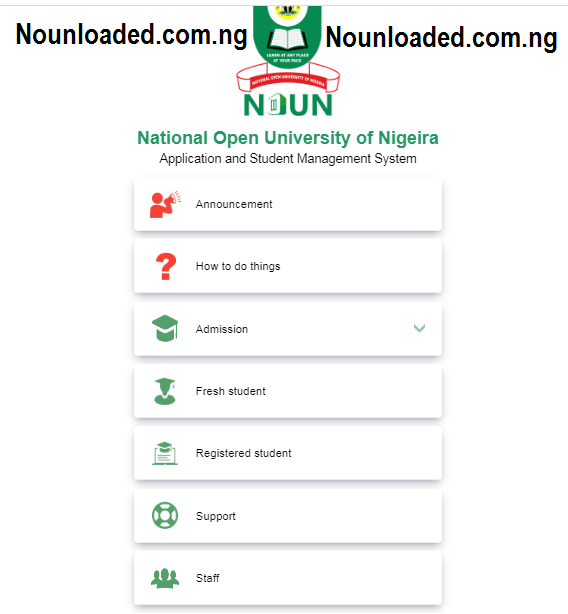
The entire process is managed via the NOUN Student Management System (SMS). Follow these steps to generate your payment reference and buy your form:
1. Access the Official Portal
Visit the
2. Verify Your Eligibility
Before spending money on a form, use the "Am I Qualified" tool on the homepage. Select your preferred faculty and programme to ensure you meet the minimum entry requirements. For students who need a deeper dive into the specific admission criteria for different courses, you can always refer to the detailed
3. Generate Your RRR (Remita Retrieval Reference)
To purchase the form, you must generate a payment invoice:
Navigate to the "Apply for Admission" tab.
Fill in your personal details (Full name, phone number, and email address).
Select the type of programme (Undergraduate, Postgraduate, or PhD).
Click on "Generate RRR." This unique code allows you to make payments at any commercial bank or through online banking platforms.
4. Making the Payment
Once you have your RRR code:
You can pay via Internet Banking, Mobile Banking apps, or by visiting any commercial bank branch in Nigeria.
Keep your receipt: Once payment is confirmed, you will receive a notification. Keep the payment receipt or transaction reference number safe.
5. Completing the Online Form
After payment is successful:
Return to the
official portal Log in using your RRR and your unique ID.
Fill out the comprehensive application form with your academic and personal information.
Upload your scanned documents as requested by the system.
Important Tips for a Successful Application
Double-Check Information: Typos in your name or registration number can cause significant delays in your admission processing.
Check Your Email: The university often sends updates regarding your application status to the email address you provided.
Follow Official Channels: For the latest news, updates on admission windows, and helpful academic tips, regularly check
NOUNloaded
By following these steps, you can secure your admission form quickly and start your journey toward earning your degree with NOUN. If you encounter any technical errors during the payment process, do not hesitate to contact your nearest study centre for immediate assistance.
Are you currently having trouble generating your RRR, or do you need further clarification on the JAMB regularization step?
Related Posts

Does NOUN Admission Require JAMB? ...
2nd June, 2026
Admission to the National Open University of Nigeria (NOUN) ...
30th January, 2026

Available Courses in NOUN University of Nigeria...
21st November, 2025

How to Apply for NOUN...
7th July, 2025

NOUN Online Degree Programs...
7th July, 2025
.jpg)
How to register at NOUN university...
7th July, 2025

NOUN Admission Form...
21st November, 2025
.jpg)
LLB program at the National Open University of Nigeria (NOUN...
28th March, 2025
.png)
How to Apply for NOUN Admission (nouonline.nou.edu.ng)...
28th March, 2025
.jpg)
JAMB NOT Needed for NOUN Admission Requirements ...
28th March, 2025

NOUN Admission Form ( How to Apply) National Open University...
28th March, 2025
nouonline.nou.edu.ng...
7th August, 2024
Categories
Blog Posts






Breaking News
We usually sends BREAKING News to students of National Open University, NOUN. Not to miss any of our latest updates, enter your email here